KEGE Patient portal allows you to view all current and past appointments. You can also make changes to appointments up to 24 hours prior to the scheduled start time. There are a few different ways you can view or make changes to scheduled appointments by following this process:
- Log into the patient portal.
- Select the patient.
- Click the "See full profile" button.
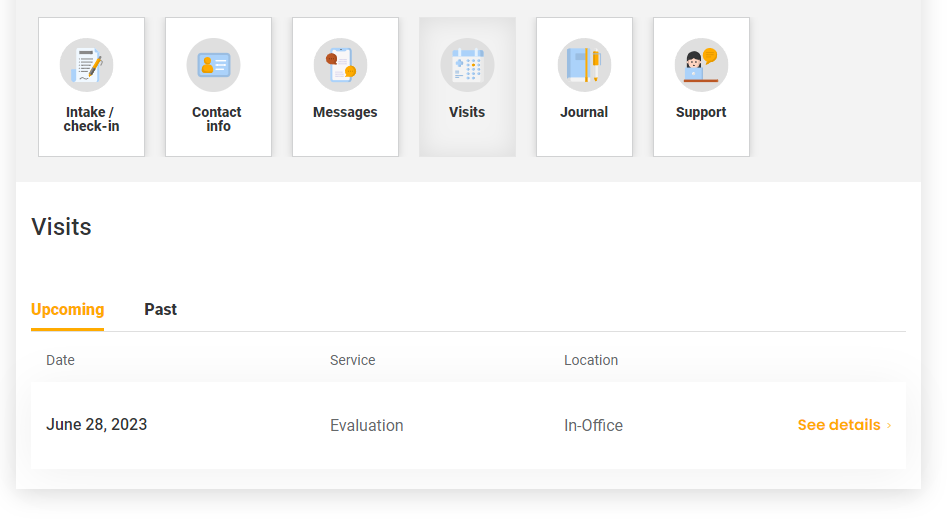
- Select the "Visits" icon from the carousel.
- Choose the "Upcoming" or "Past" tab.
- Click the "See details" link on any appointment.
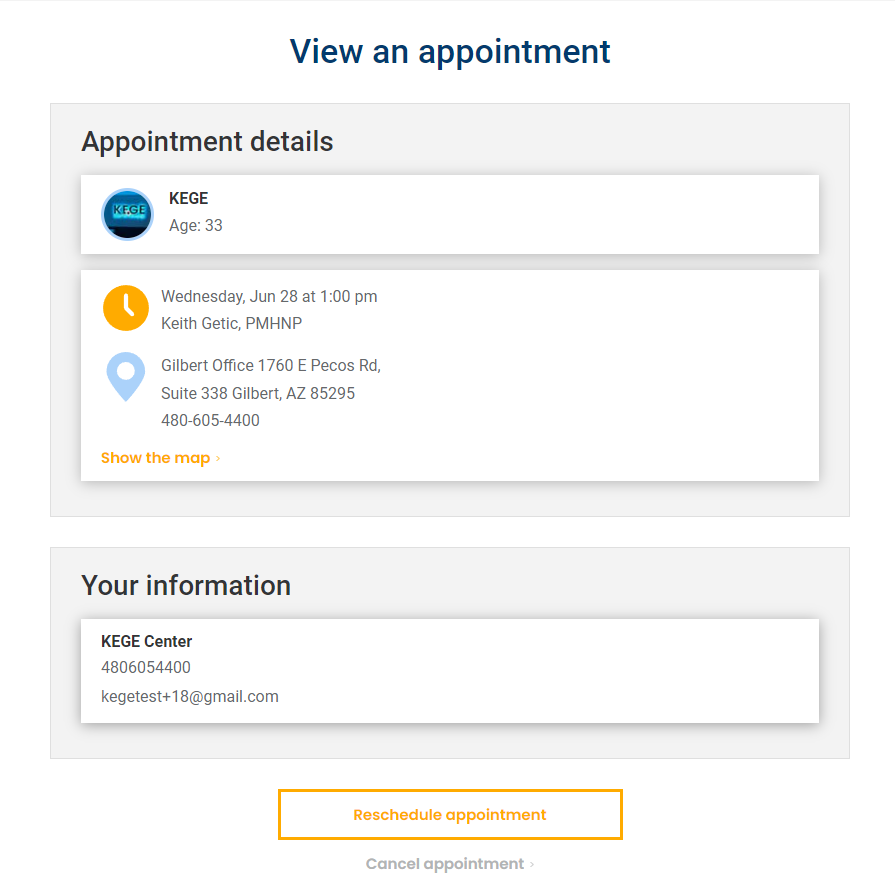
- Select the "Reschedule appointment" or "Cancel appointment" button.
Here is a step-by-step visual guide.
Step 1:
From the portal dashboard, select the patient that you would like to view or make changes to.
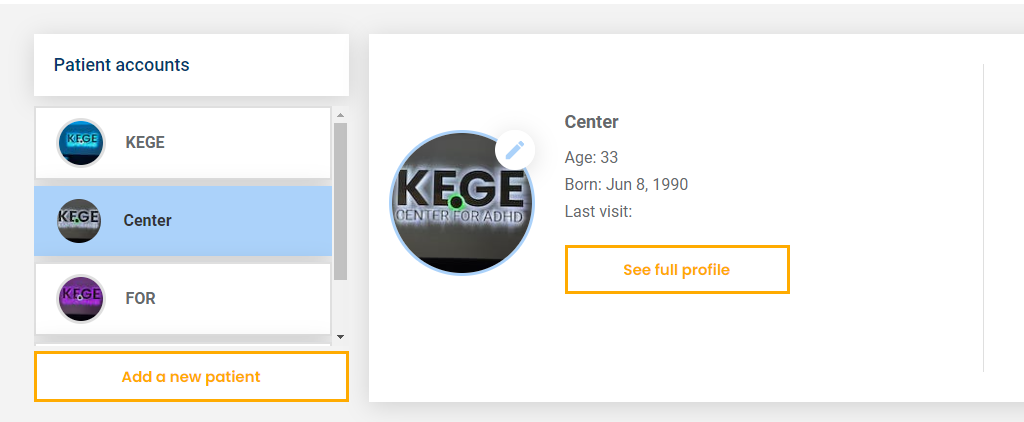
Step 2:
Click the "See full profile" button.
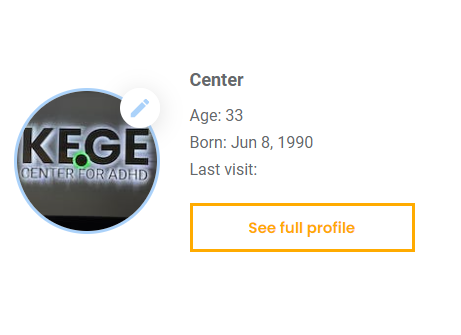
Step 3:
Select the "Visits" icon from the carousel.
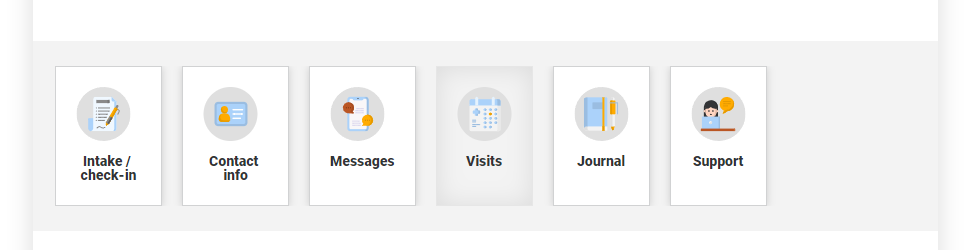
Step 4:
Choose the "Upcoming" or "Past" tab.
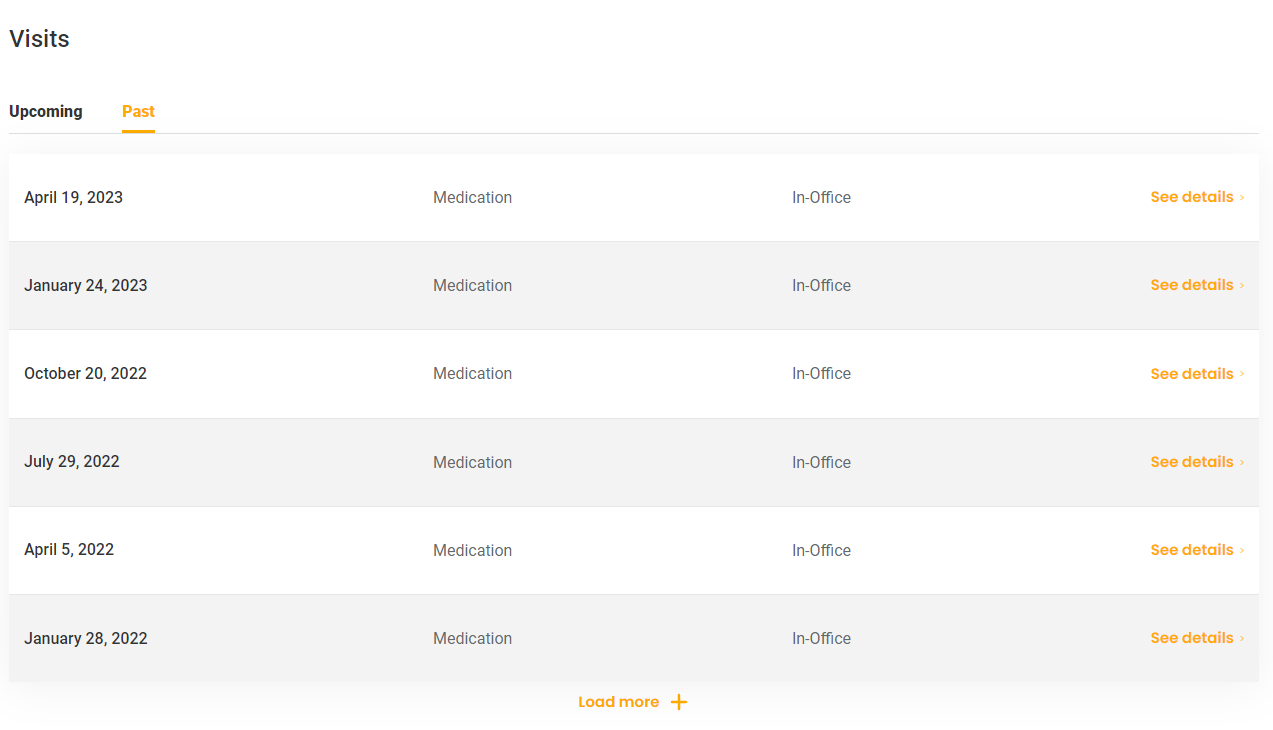
Step 5:
Click "See details" on the appointment you would like to make changes to.
Step 6:
Select "Reschedule appointment" or "Cancel appointment" near the bottom.
Step 6:
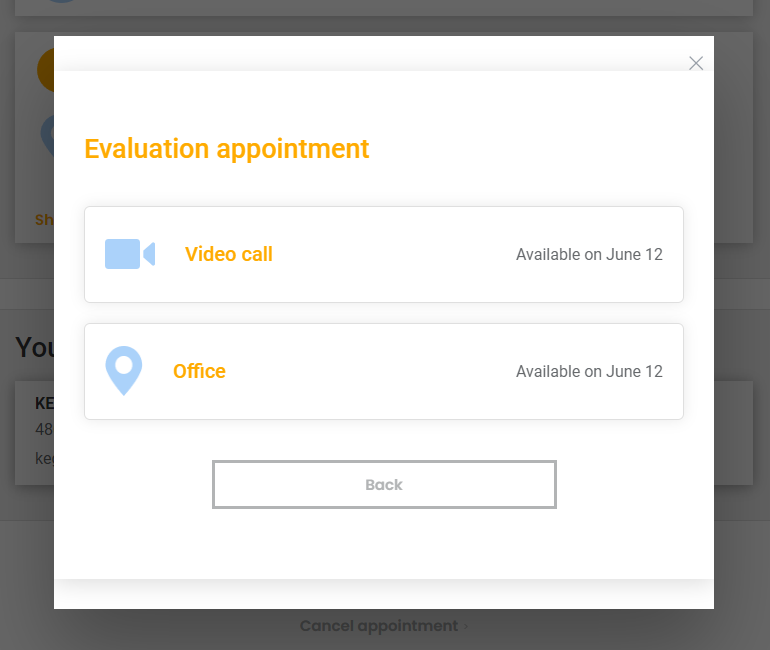
Pick a new date and time.
Was this article helpful?
That’s Great!
Thank you for your feedback
Sorry! We couldn't be helpful
Thank you for your feedback
Feedback sent
We appreciate your effort and will try to fix the article